#4 – 20133 102nd Avenue, Langley, B.C. V1M 4B4 Canada

#4 – 20133 102nd Avenue, Langley, B.C. V1M 4B4 Canada
A 4x4 Hdmi Matrix Switcher can send four video sources to four displays, but choosing one is not just a port-count decision. Picture a meeting room with a laptop, a media player, and several screens: the right matrix routes the correct signal while keeping setup simple. The wrong one can mean blank displays, awkward cable changes, or unsupported video formats.
AVIXA’s 2024 Industry Outlook and Trends Analysis estimated the global professional AV industry at about $325 billion in 2024, with growth projected through 2029. That scale reflects how widely AV systems are used, but it does not identify a best matrix for every room. Resolution, refresh rate, HDCP support, audio routing, control options, and cable distance all matter. A 4K label alone tells you too little.
AVIXA CEO David Labuskes is a relevant industry voice on professional AV, but no source text or verified quotation was provided here. I won’t invent a sentence and attribute it to him. That matters: buying advice should be traceable, not merely confident. The useful question is practical: will the switcher handle your actual sources and displays, today and after an upgrade? Check the specification sheet against the devices you own. Then consider installation and support. The less glamorous details often decide whether the system works smoothly. And sometimes, the honest answer is that a simpler switcher is enough.
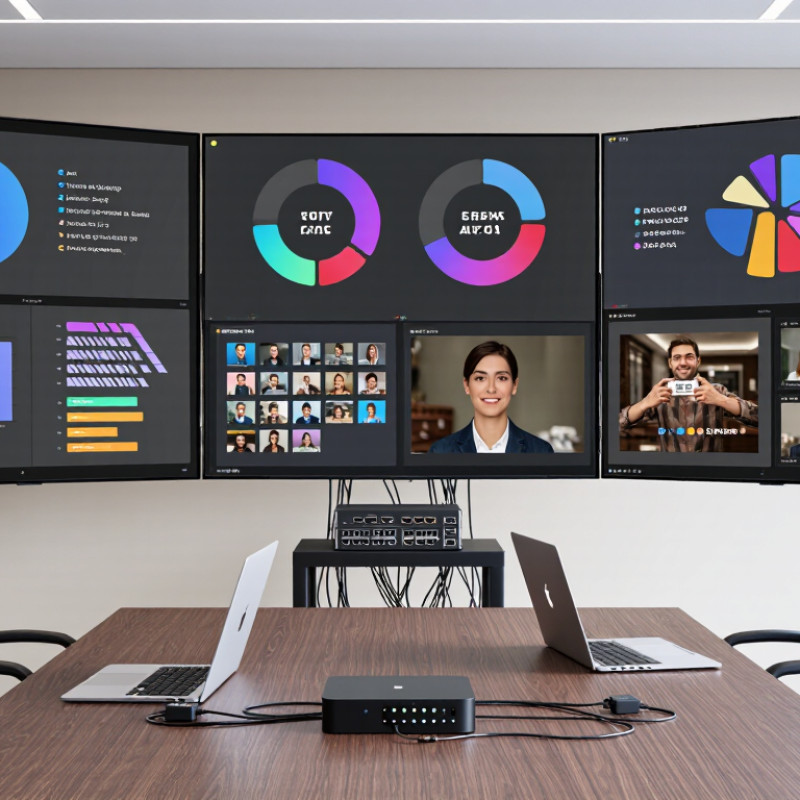
A 4x4 HDMI matrix switcher has four HDMI inputs and four HDMI outputs. It lets each output select an input independently. For example, a game console can feed a living-room display while a media player feeds a projector. Another output can show either source. Unlike a basic splitter, it can route different sources to different screens. Think of it as a small traffic controller. Quiet, but useful.
The “4x4” label describes routing capacity, not picture quality. Resolution, refresh rate, audio formats, and copy-protection support depend on the switcher and connected devices. The HDMI Forum’s HDMI 2.1 specification sets a maximum link rate of 48 Gbps, but that does not mean every matrix supports every HDMI 2.1 feature. Check the exact input and output capabilities. Also check EDID handling, which helps sources negotiate compatible display settings. A mismatch may cause a blank screen or lower resolution. The label alone proves little. Installers should test the actual sources, cable runs, and displays together; a small compatibility detail can become a big headache.
A 4x4 HDMI matrix connects up to four video sources to four displays. Unlike a basic splitter, it can send different sources to different screens. For example, a media player could feed the lounge TV while a laptop appears on a meeting-room display. Each output is assigned independently, using the unit’s buttons, remote, or control interface. That matters. The best setup depends on what each screen needs, not just the number of ports.
Before choosing a matrix, check resolution support, refresh rates, and audio handling across every connected device. A source may work perfectly on one display but show a blank screen on another if formats or copy-protection settings do not match. Cable length also matters: a long run to a wall-mounted screen may need a suitable cable or signal extender. In practice, compatibility can be fiddly. A quick test with all four sources and displays can reveal issues before installation.
Tips: Label both ends of each HDMI cable, then note which input feeds each screen. Test the longest cable run first. Keep the routing plan nearby; it is easy to forget which output serves which room.
A 4x4 HDMI matrix should route any of four sources to any of four displays, independently. That flexibility matters in a meeting room, classroom, or control area where screens show different content. Check whether outputs can mirror one source or display four separate sources at once. The difference is easy to miss in a specification table.
Bandwidth is a key comparison point. Confirm support for the resolutions, refresh rates, HDR formats, and color depth your equipment actually uses. A label such as “4K” alone tells you little about performance at 60 Hz with HDR enabled. Check HDCP compatibility and EDID management, too; mismatches can cause blank screens or unexpected resolution changes. Test the matrix with your real sources and displays. Paper specs are not the whole story.
Consider control and day-to-day reliability. Front-panel buttons, a remote, network control, or serial control may suit different installations. Clear input and output indicators save time when tracing a signal path. Look for secure HDMI sockets, accessible status information, and ventilation that does not trap heat in a cabinet. Audio routing deserves attention if sound must follow a selected display. Small details matter. One comparison can still be imperfect: long cable runs and mixed display models may behave differently than a tidy bench test suggests.
A 4x4 HDMI matrix sends any of four sources to any of four displays. Before choosing one, list the actual devices: a game console, a laptop, a streaming player, and the four screens. Check each screen’s resolution and refresh rate. A matrix that supports 4K does not necessarily support 4K at 120 Hz on every output.
Bandwidth matters. The HDMI Forum specifies up to 48 Gbps for HDMI 2.1, alongside support for 4K at 120 Hz. Treat that as a capability ceiling, not a guarantee that every matrix passes the same signal. Confirm the supported format, HDR, audio return needs, and HDCP version across the complete signal path. One older display can limit what all connected sources can deliver. Easy to overlook.
Control features shape daily use. For a meeting room, check whether the unit offers front-panel buttons, remote control, or network control, and whether it remembers routing after a restart. AVIXA’s 2024 Industry Outlook estimated global professional AV revenue at $325 billion in 2023, with a forecast of $402 billion by 2028. That growth reflects increasingly varied AV installations, but it does not make every setup alike. Measure cable runs, test the longest connection, and leave room for ventilation. I would still verify a real source-and-display combination before installation; specification sheets can hide practical mismatches.
What Is the Best 4x4 HDMI Matrix Switcher?
Common Applications and Compatibility Considerations
A 4x4 HDMI matrix routes four sources to four displays, independently. In a conference room, a laptop, room PC, document camera, and signage player can feed different screens. Classrooms use similar routing to show a teacher’s computer on one display and a camera feed on another. Control rooms may need more dependable switching and clear source labels. Small detail, big difference.
AVIXA’s 2024 Industry Outlook and Trends Analysis projected global professional audiovisual revenue at about $325 billion in 2024. That figure reflects a broad industry, not matrix-switcher sales, but it shows the scale of AV integration needs. For compatibility, check each device’s resolution, refresh rate, color format, and HDCP support. HDMI 2.1 specifies bandwidth up to 48 Gbps and supports formats such as 4K at 120 Hz, when the full signal chain allows it. The matrix alone cannot guarantee that result.
Check EDID handling, too. EDID tells a source which display formats are available; mismatches can cause blank screens or downgraded resolution. Confirm audio routing, HDR support, and cable distance for every output. A long cable run may need active cabling or signal extension. Test the actual laptop, display, and content before installation. Specifications help, but real rooms are rarely tidy.