#4 – 20133 102nd Avenue, Langley, B.C. V1M 4B4 Canada

#4 – 20133 102nd Avenue, Langley, B.C. V1M 4B4 Canada
A Portable Ring Light can improve a video call, makeup tutorial, or product photo without taking over a desk. But the brightest model is not always the best choice. Harsh light can flatten facial features, while a small, poorly positioned lamp may leave uneven shadows around the eyes.
Choosing well means looking beyond the product photos. Consider adjustable brightness, color temperature, light quality, mounting options, and how the device is powered. A light that clips securely to a phone may suit quick recordings, while a compact stand can offer steadier framing at a desk. Small details matter. Check whether the controls are easy to reach and whether the light stays stable when adjusted.
Your setting matters, too. A warm bedroom lamp, a bright office window, and a dim hotel room create different lighting conditions. A useful ring light should adapt to the space rather than force you into one setup. Look for clear specifications, realistic battery information, and consistent reviews that describe actual use. Claims can sound impressive. They still deserve a closer look.
This guide explains how to compare portable ring lights for everyday needs, from video calls to travel photography. It covers brightness, color options, power, portability, and practical accessories, so you can weigh trade-offs before buying. No single model suits everyone. A compact design may sacrifice light output, and a powerful model may feel awkward in a small bag. Knowing what matters most can help you choose a light that works in real conditions—not just on a product page.
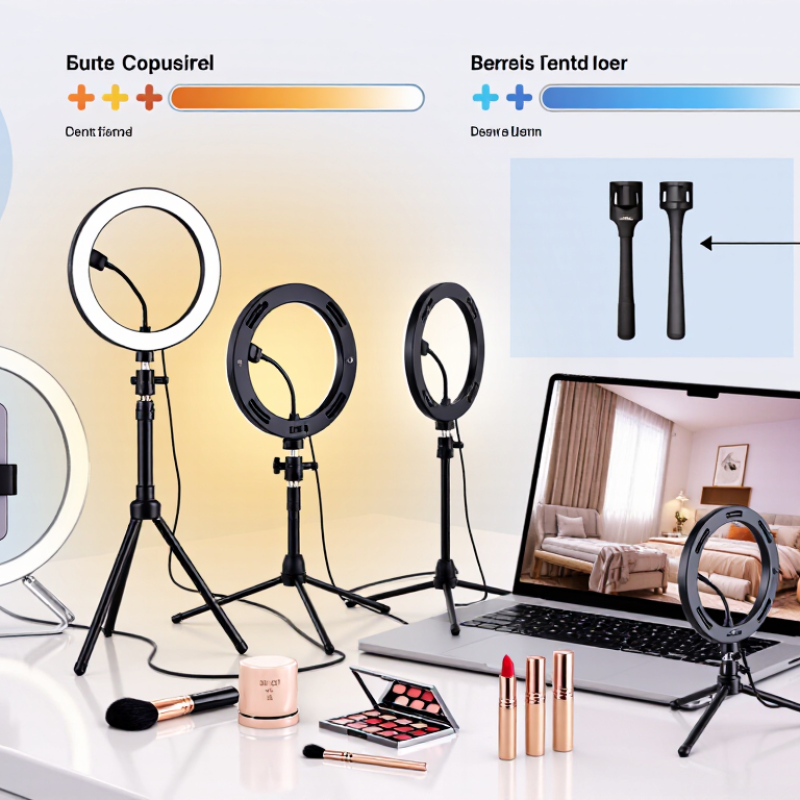
A portable ring light is a compact circular lamp designed to illuminate a face or small subject evenly. Its central opening lets a phone or camera sit near the light’s axis, which helps reduce harsh shadows around the eyes and nose. The effect is usually soft and direct, not studio-perfect. That distinction matters.
Most models use small LEDs around a plastic or metal frame. Power comes from a rechargeable battery, a USB connection, or both. Controls adjust brightness, and some lights also offer warmer or cooler color settings. Warmer light can make skin look less stark indoors, while cooler light may suit a bright, daylight-style setup. A diffuser softens individual LED points, but it cannot fully correct poor placement. Keep the light near eye level and slightly in front of the subject; placing it too close can create shiny highlights.
The circular shape often leaves a small catchlight in the eyes, a detail that can make video calls and close-up photos feel more lively. But results depend on room lighting, camera exposure, and distance. A ring light may flatten facial features if it is the only light source. I sometimes expect a brighter setting to solve everything, but it can wash out skin instead. Check the light on your actual device, then lower the brightness before moving it farther away.
How to Choose the Best Portable Ring Light?
Which Lighting Specifications Matter Most
Brightness is useful only when you know the measurement distance. Compare lux ratings taken at the same distance, such as 0.5 metres, and check whether brightness can be dimmed smoothly. A high maximum output may help near a window at dusk, but it can look harsh on a face at arm’s length. Look for adjustable colour temperature, commonly around 2700K to 6500K, so the light can better match warm room lamps or cool daylight. Small changes matter.
For natural-looking skin tones, check the CRI rating; 95 or higher is a useful benchmark, though it cannot guarantee flattering light on its own. Flicker-free performance is important when recording video, especially at higher frame rates. If possible, test footage for pulsing or bands. The ring’s diameter and diffuser also affect the result. A larger, softened light tends to create gentler shadows, while a compact, bare ring can leave sharp reflections in glasses.
Portability depends on more than weight. Check battery runtime at the brightness you actually plan to use, since maximum output often drains power faster. A clear runtime figure beats a vague promise. I would also inspect the mount: a loose phone clamp can slowly tilt during a take. Even so, neat specifications can mislead; room colour, distance, and skin tone change what looks good. Test the light in the place you will use it.
| Specification | What to Look For | Why It Matters | Priority |
|---|---|---|---|
| Illuminance | Compare brightness in lux at a stated distance. For close-up use, a practical target is roughly 500–1,500 lux at 0.5 m, with adjustable output. | Lux readings change with distance, so a brightness figure without a measurement distance is difficult to compare. Dimming helps avoid harsh, overexposed lighting. | High |
| Color temperature | Look for adjustable white light in the approximate 2,700–6,500 K range. | Warmer settings can suit indoor ambient light; cooler settings can look closer to daylight. Adjustable temperature helps match the surrounding light. | High |
| Color Rendering Index (CRI) | Choose CRI 90 or higher when accurate skin tones and product colors matter. | CRI indicates how faithfully a light source renders colors compared with a reference source. A higher rating is useful for video calls, portraits, and product demonstrations. | High |
| Brightness controls | Prefer multiple brightness levels or smooth dimming, with controls that are easy to reach while mounted. | Fine control makes it easier to balance the ring light with window light or room lighting and reduce glare. | High |
| Light diffusion | Look for a diffused front surface or a design that softens the LEDs. | Diffusion can make close-range light appear less harsh and reduce distracting LED points reflected in glasses or shiny surfaces. | Medium |
| Ring diameter | Compact portable designs commonly use rings around 3–6 inches (about 8–15 cm); larger rings provide a broader light source. | Smaller lights are easier to carry and mount on a phone. A larger light can illuminate a wider area but may be bulkier. | Medium |
| Battery runtime | Check runtime at a stated brightness level. About 1.5–4 hours at medium output is a useful comparison range for small rechargeable lights. | Runtime varies with brightness, battery capacity, and operating conditions. Maximum-brightness runtime is usually shorter than medium-output runtime. | High for mobile use |
| Charging and power | USB charging is convenient; USB-C is a useful connector. Check whether the light can operate while connected to power. | Rechargeable power suits travel, while plug-in operation can be helpful for longer recording sessions. Connector type alone does not indicate charging speed. | Medium |
| Weight and mounting | For phone-mounted use, a lightweight design—often under about 300 g—can reduce strain. Check clip compatibility and grip padding. | A secure, well-fitting mount helps keep the light stable and reduces the chance of scratching or obstructing the phone. | High for phone use |
| Heat and build quality | Look for a sturdy housing, secure hinges, and product guidance for continuous use. | Portable lights are often used close to the face or phone. A stable build and sensible operating instructions improve everyday usability. | Medium |
Quick tip: Compare lux only when the measurement distance is specified, and check color temperature, CRI, and battery runtime alongside maximum brightness. A balanced, adjustable light is often more useful than a high brightness rating alone.
A portable ring light should match the way you actually film, not just look bright on a product page. Compare brightness and battery life together. A high setting may make a face look clear near a window, yet drain a small battery during a longer recording. Check whether brightness adjusts smoothly, and note the rated runtime at the settings you expect to use. Those figures can vary with temperature and battery age. I would leave some margin rather than trust a best-case estimate. Annoying, but practical.
Mounting affects both stability and setup time. A standard threaded mount can attach to many small tripods, while a phone clamp needs a firm grip and room for your charging cable. If you film overhead or at an angle, test whether the head stays in position without slowly sagging. A light that wobbles when you tap the desk is not much help. Check that controls remain reachable after your phone is installed. Some compact designs place them awkwardly.
Portability is more than low weight. Measure the folded light, mount, and stand together, then see whether they fit in your usual bag. A slim kit may travel easily but offer a narrow adjustment range. A larger stand can be steadier on a hard floor, though less welcome on a crowded café table. Think about where you will set it down, and how quickly you need to pack up. I still find this trade-off easy to underestimate.
Match the light to the device before judging its brightness. For a phone, check the clamp’s width and whether it leaves the camera unobstructed. A laptop setup usually needs a stable desk stand; a small clip may wobble when the screen moves. For tablets, confirm both the holder’s weight limit and its grip. Also check the light’s input rating against your power bank or USB adapter. A mismatch can mean dimming or interrupted use.
Color matters as much as brightness. The U.S. Department of Energy explains that the Color Rendering Index (CRI) runs from 0 to 100, with higher scores generally indicating more accurate color. For calls or close-up tutorials, look for a stated CRI of 90 or higher and adjustable color temperature. Neutral light can keep skin tones from looking too orange or blue. Still, a high CRI cannot fix harsh shadows if the light sits too low or too close.
Tips: Place the ring just above eye level, then angle it toward your face. Keep it slightly farther away for softer light. Test the setup using your actual camera; screen previews can hide uneven skin tones. I sometimes find the “best” setting looks a little flat, so adjust it to the room rather than trusting the spec sheet alone.
Portable ring light shopping should start with its controls. Try changing brightness and color temperature while holding the light in one hand. Buttons should be easy to find by touch, not just visible in a product photo. A smooth dial may feel precise, while tiny touch controls can be awkward with cold fingers. Check whether settings remain saved after switching the light off. That detail is easy to overlook.
Durability matters when the light rides in a backpack or sits on a crowded desk. Inspect the hinge, clamp, and charging port, since these parts take repeated strain. A stand that wobbles when tapped can shift during a call. Plastic is not automatically weak, but thin joints deserve a closer look. Price should match useful features, not a long list of modes. Compare battery runtime at a practical brightness; maximum output often drains power quickly. I would still leave room for uncertainty: advertised runtime rarely matches every user’s setup.
Tips: Test the buttons, fold the hinge several times, and check for looseness. Test it. Compare warranty terms and replacement-cable availability. Pay a little more only when sturdier construction or reliable controls solve a real need.
Compare controls, durability, and price using the practical checks below.
How to use this chart: The bars count the checklist prompts in each category; they are not product ratings or market statistics.