#4 – 20133 102nd Avenue, Langley, B.C. V1M 4B4 Canada

#4 – 20133 102nd Avenue, Langley, B.C. V1M 4B4 Canada
Choosing an Industrial Display Screen is not simply a matter of selecting the brightest panel or the largest size. The right choice depends on where it will operate, who will use it, and what the screen must withstand. A factory floor brings different demands from a vehicle cab or a clean production room. Think of glare from overhead lights, gloves on a touchscreen, dust near ventilation slots, and a display running through long shifts.
MarketsandMarkets’ Industrial Display Market report projected growth from approximately $5.1 billion in 2023 to $7.2 billion by 2028. That forecast signals expanding demand, not a guarantee that any particular model will suit your application. Selection still requires checking measurable specifications. Consider brightness, viewing angles, touch technology, operating temperature, expected service life, and the availability of replacement parts. For enclosure protection, IEC 60529 defines IP ratings; a higher number should be matched to actual exposure, not chosen for appearance alone. That distinction matters.
Usability deserves equal weight. Human-centered design expert Don Norman wrote, “Good design is actually a lot harder to notice than poor design, in part because good designs fit our needs so well that the design is invisible.” His principle applies here: operators should be able to read critical information quickly, without fighting reflections or awkward controls. Yet no checklist replaces testing the display in its real setting. A screen that performs well in a showroom may disappoint beside a hot machine or under harsh lighting. This guide explains how to compare specifications, assess environmental fit, and choose an Industrial Display Screen with evidence rather than guesswork.
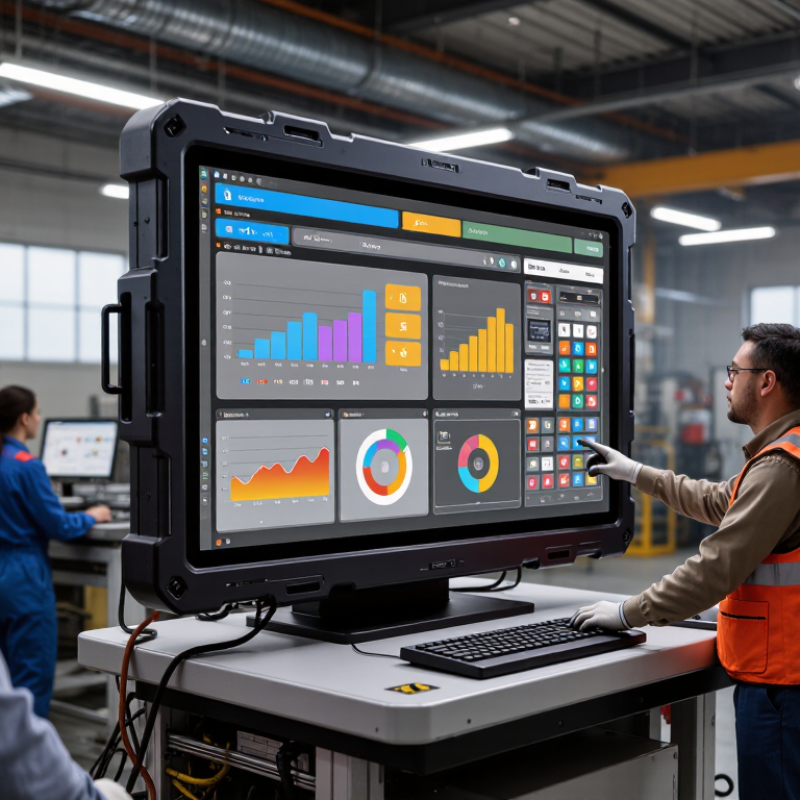
Define the application before comparing screen sizes. Is the display mounted beside a packaging line, inside a vehicle, or at a dusty outdoor control station? Note who uses it, how far away they stand, and whether they wear gloves. Grand View Research estimated the global industrial display market at about $5.3 billion in 2023. That figure signals broad demand, but it cannot tell you what your workstation needs. The details matter.
Record the actual operating conditions: temperature swings, moisture, dust, vibration, direct sunlight, and cleaning methods. IEC 60529 defines IP ratings; an IP65 enclosure is dust-tight and protected against water jets. That does not automatically make it suitable for every washdown routine. Check the full exposure, including spray direction and cleaning frequency. Dust matters. So does glare. A screen that looks bright in a showroom may be hard to read beside a sunlit loading bay.
Then map the operator’s tasks to the interface. Measure viewing distance, identify essential alerts, and test touch response with the gloves used on shift. Confirm the display’s specified temperature range against real site readings, not a guess from the facilities plan. A common planning mistake is choosing resolution before checking legibility and mounting position. A tidy specification sheet can still miss the awkward corner where operators actually stand. If possible, test a sample at the workstation for a full shift; real conditions may expose details the checklist missed.
Choose an industrial display by matching its size to the operator’s viewing distance and available panel space. A screen mounted across a production line may need larger text than one beside a machine. Measure twice. Check the viewing angle, too; a display that looks clear head-on can become difficult to read from the side.
Resolution should make labels, numbers, and interface controls sharp without adding needless cost. Brightness depends on the setting: indoor equipment may work well at moderate levels, while a screen near a window or under strong factory lights needs more output and good glare control.
It is easy to over-specify brightness and create an uncomfortable display in a dim control room. Test the screen under actual lighting. For touch, consider gloves, moisture, and the size of on-screen buttons. Confirm the chosen touch technology responds reliably with the operators’ usual gloves.
Tips: Bring a sample interface to the installation site. Check text readability from the normal standing position, then test touch input with real gloves. Small details matter. A quick test can reveal that buttons are too close together or that the screen sits slightly too high.
Industrial displays should be selected for the conditions at the screen, not just the factory’s average room temperature. The International Labour Organization’s 2024 report, Heat at Work, estimates that 2.4 billion workers are exposed to excessive heat. That figure describes worker exposure, not screen failures, but it underlines why ambient heat deserves attention. Check the display’s rated operating-temperature range against actual conditions near ovens, motors, or sunlit windows.
Dust, washdowns, vibration, and chemicals each demand different protection. An IP rating under IEC 60529 describes protection against solids and water; it does not certify resistance to cleaning chemicals or sunlight. Match the rating to the cleaning method, then check the enclosure, connectors, and cable entries as a complete installation. Brightness and touch performance matter too: a reflective panel can become hard to read under overhead lights, while thick gloves may defeat a standard touch interface. More protection is not automatically better; it can add cost without solving the real exposure.
Tips
Record temperature swings and cleaning routines before ordering. Ask for the specified operating range and ingress rating in writing. Test readability with the actual gloves and lighting. A small trial can reveal what a datasheet misses.
An industrial display may fit the enclosure and still fail at the control desk. Check the video output on the computer or controller, not just the display’s input list. Confirm resolution, refresh rate, and whether touch uses USB, serial, or a separate driver. A 2024 industrial-network market-share report estimated Ethernet at 71% of newly installed nodes, fieldbus at 22%, and wireless at 7%. These figures describe factory networks, not video inputs, but they show why network compatibility matters. Check the basics.
Mounting affects service access and reliability. Compare the display’s VESA pattern or panel cutout with the cabinet drawing, then measure depth behind the bezel. Leave room for plugs, cable bends, and airflow; a connector pressed against a cabinet wall is hard to maintain. Match the unit’s operating temperature and vibration rating to its actual location, such as a warm machine enclosure. I still treat connector labels as clues, not proof: matching ports can hide timing or driver conflicts. Test the display with the intended controller and operating system before ordering multiple units. Small details matter.
How to Choose the Right Industrial Display Screen
Compare Lifecycle Costs, Support, and Compliance Requirements
Purchase price is only the first line on the invoice. A five-year cost review should include power use, installation, replacement parts, service labor, and disposal. NIST Handbook 135 provides a recognized framework for comparing lifecycle costs, rather than judging equipment by its initial price alone. A display that costs less upfront may become expensive when a failed touch panel stops an operator from reading a machine status screen.
Support matters when conditions get rough. A 2024 global manufacturing downtime report estimated that unplanned downtime costs large manufacturers about $1.4 trillion annually, or 11% of their revenue. That figure is not a forecast for one display, but it shows why spare-part availability and repair response times deserve attention. Check operating-temperature ratings, brightness, and the supplier’s stated service terms. Compliance also depends on installation and location. IEC 61000-6-2 covers immunity requirements for industrial environments, but it does not replace checking applicable safety and regional requirements.
Tips: Request a written estimate for five-year ownership costs. Ask how long replacement panels remain available, and confirm response times in writing. Compare the same test conditions across models. One detail is easy to miss: a bright display may still be hard to read behind a scratched protective cover. Look at the complete installation, not just the screen.