#4 – 20133 102nd Avenue, Langley, B.C. V1M 4B4 Canada

#4 – 20133 102nd Avenue, Langley, B.C. V1M 4B4 Canada
In today's digital age, long-distance connections have become essential for many users. Whether for gaming, streaming, or work, a reliable connection is crucial. This is where a Usb Extender comes into play. A USB extender boosts signals, allowing devices to connect over longer distances without losing quality.
The right USB extender can make a significant difference. Users often overlook the importance of choosing the right model. Factors like cable length, data transfer rate, and compatibility are vital. Many extenders claim to cover vast distances yet fail in real-world use. It’s essential to assess customer reviews and manufacturer reliability carefully.
However, not all extenders perform equally. Users may experience frustration with slower speeds or connectivity drops. It's crucial to do your research before making a purchase. This guide explores the top 10 USB extenders, focusing on their strengths and weaknesses. You’ll find insights that can help you choose a suitable extender for your needs. With the right information, you can overcome the challenges of long-distance connections.
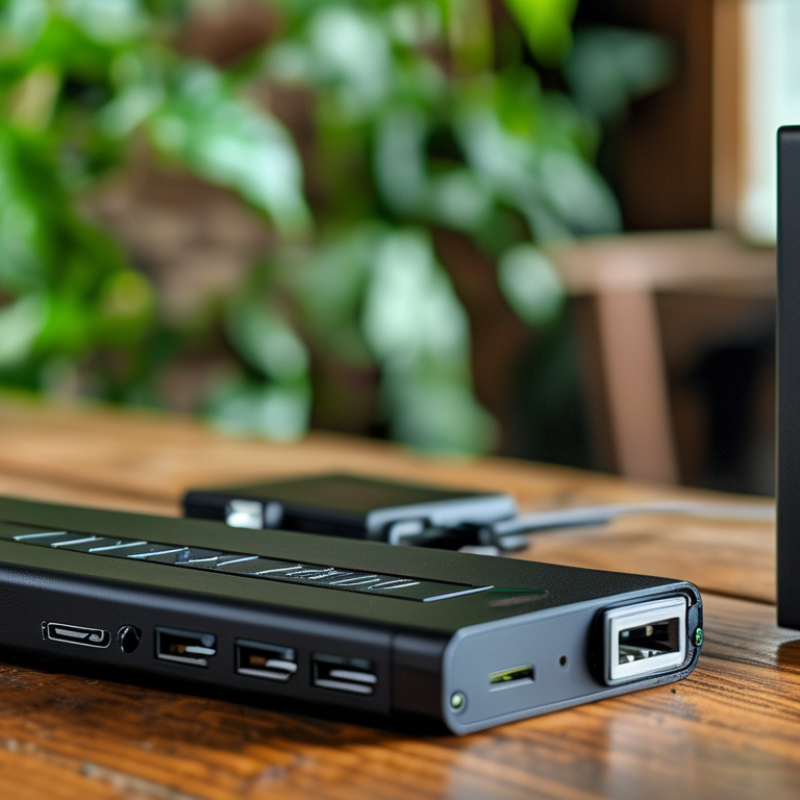
USB extenders play a crucial role in maintaining effective connections over long distances. These devices enable data transmission beyond the typical limits of standard USB cables. For many users, this capability is vital, especially in settings like large offices or remote workstations. By extending the reach of USB devices, users can enhance productivity without compromising data integrity.
Using USB extenders is not without its challenges. Signal degradation can occur, especially over extended distances. Users must ensure they choose the right type of extender to minimize potential loss of quality. Additionally, compatibility with various devices is essential. Not every extender works seamlessly with all USB devices, which can lead to frustration. Finding the right balance between distance and performance requires thoughtful consideration. Adapting to these realities is part of the user's journey in optimizing their connectivity solutions.
When considering USB extenders, understanding the difference between active and passive extenders is crucial. Active extenders amplify the signal, allowing for longer distances—sometimes up to 100 meters. This amplification is essential in environments with high interference. Professionals often recommend active extenders for applications in commercial settings where reliability is key.
On the other hand, passive extenders rely on the inherent strength of the USB signal. They typically work best over short distances, generally up to 5 meters. Beyond that, the signal can degrade significantly. A recent report indicated that nearly 30% of users encountered data loss when using passive extenders at longer distances. This statistic underscores the importance of choosing the right type based on specific needs.
Interference is another factor that should not be overlooked. Active extenders often come equipped with shielding to counteract interference from other devices. However, they may introduce latency in some cases, which affects speed. Data suggests that while active extenders are more appropriate for longer lengths, many users still underestimate the impact of their installation environment. Make sure to assess your workspace before choosing the type of extender to ensure optimal performance.
When evaluating USB extenders, several key features prove essential. One critical consideration is the maximum transmission distance. USB 2.0 extenders typically reach up to 160 feet, whereas USB 3.0 extenders can achieve around 100 feet. According to industry reports, these distances create limitations, particularly for professional environments needing extensive setups.
Another important feature is power supply options. Some USB extenders draw power from the USB port itself, while others require external power sources. This choice can impact installation convenience and device compatibility. Data from recent surveys indicates that users prefer solutions with versatile power options, especially in complex setups, as they offer more reliability.
Tips: Ensure compatibility with your devices. Check the USB version required for optimal performance. Likewise, consider unshielded vs. shielded cables, as the latter can help reduce interference. Testing different configurations may yield better results, revealing areas where signal strength could be improved. Remember, every setup is unique, and what works for one may not work for another. Be prepared to adapt your choices based on specific needs and layout.
| Model | Maximum Distance | Connection Type | Transfer Speed | Power Supply | Additional Features |
|---|---|---|---|---|---|
| USB Extender A | 100 meters | Cat 5e/6 | USB 2.0 | Powered by USB | Compact design |
| USB Extender B | 150 meters | Cat 5e/6 | USB 3.0 | External power | LED indicators |
| USB Extender C | 50 meters | Ethernet | USB 2.0 | Bus powered | Plug and play |
| USB Extender D | 300 meters | Fiber Optic | USB 3.0 | Self-powered | High speed |
| USB Extender E | 200 meters | Cat 5e | USB 2.0 | Powered | Durable casing |
| USB Extender F | 120 meters | Cat 6 | USB 3.0 | Powered | Supports multiple devices |
| USB Extender G | 80 meters | Ethernet | USB 2.0 | Optional power | Lightweight |
| USB Extender H | 90 meters | Cat 5e | USB 2.0 | USB-powered | Cost-effective |
| USB Extender I | 175 meters | Fiber Optic | USB 3.0 | External power | Long distance performance |
| USB Extender J | 250 meters | Cat 6 | USB 3.0 | Self-powered | Enhanced shielding |
When choosing USB extenders, understanding their features and benefits is crucial. USB extenders allow you to connect devices over long distances without losing signal quality. According to industry reports, USB extenders can transmit data up to 100 meters, helping streamline various applications. These extenders often use Cat6 or Cat7 cables for efficient data transfer rates, reaching up to 5 Gbps.
Another significant feature is power delivery. Many extenders can power devices remotely, eliminating the need for extra outlets. This is particularly beneficial in professional setups. Studies show that users report improved connectivity and less downtime when using extenders effectively. However, not all extenders perform the same. Some may experience latency or signal degradation in crowded environments.
It’s important to consider the physical environment when using USB extenders. Factors like electromagnetic interference can impact performance. Testing multiple models in real-world conditions is advisable. Not every user achieves optimal performance with their first choice. Gathering insights from professionals in the field reveals a common recommendation: prioritize quality over cost. Ensure robust construction and reliable materials for durability and functional longevity.
When using USB extenders, proper installation is crucial. Begin by choosing the right extension method, such as USB over Ethernet or active USB cables. Ensure compatibility with your devices. Check the length of the cable you need. A longer cable often means more risk of signal loss.
When setting up, keep cables away from interference sources. Devices like microwaves or wireless routers can disrupt the signal. Organize your cables to avoid tangling, which might lead to damage.
Here are some tips. Test the connection before completing the setup. A functioning device may fail later due to loose connections. Consider the power requirements of your devices. Some USB extenders need additional power sources. Lastly, regularly check connections. Wear and tear can occur, affecting performance. Keep an eye out for worn cables and frayed connections. Remember that not every extender will suit your needs perfectly. Testing and adjustments may be necessary.