#4 – 20133 102nd Avenue, Langley, B.C. V1M 4B4 Canada

#4 – 20133 102nd Avenue, Langley, B.C. V1M 4B4 Canada
Why choose a 10gb Sfp Cable for a network? In a server rack, it can link a switch and server without separate transceivers at both ends. The cable’s connectors contain the required interfaces, keeping a short connection simple. Fewer parts. Less clutter. For nearby devices, a passive direct-attach copper cable may offer a practical, cost-conscious option. Active versions can suit some longer copper runs, but their limits depend on the product.
The right choice depends on more than speed. Check the port type, supported data rate, cable length, and equipment compatibility before ordering. Some switches restrict which cable assemblies they recognize, so confirm the manufacturer’s compatibility guidance. Also consider the route: a cable that fits neatly across a rack may not suit a longer run between rooms. Copper DAC cables have distance limits; fiber-based options may be more appropriate when endpoints are farther apart. Details matter.
In real installations, connector clearance and bend space matter too. A cable can meet its specification and still be awkward to route behind crowded equipment. Measure the path, allow room for airflow, and label both ends. That small step helps during troubleshooting. No cable is best for every network. A 10gb Sfp Cable is most compelling when the endpoints are close, the ports match, and a direct connection keeps the setup straightforward. Check the exact specifications—product names can be confusing.
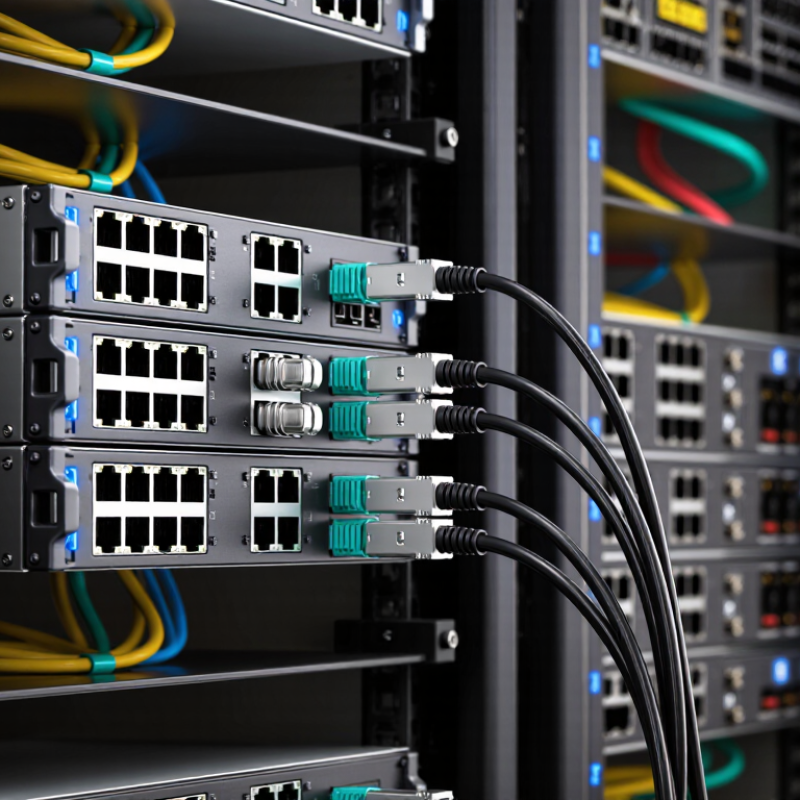
A 10Gb SFP cable generally means an SFP+ link carrying up to 10 gigabits per second between compatible network ports. The term covers two different setups. A direct-attach copper cable connects electrically, while a fiber link uses a transceiver at each end to convert electrical signals into light and back. Bare fiber does not perform that conversion. IEEE 802.3 specifications define 10GBASE-SR operation over multimode fiber, with maximum reaches of 300 meters on OM3 and 400 meters on OM4. The actual link also depends on compatible modules, clean connectors, and the correct fiber type.
For a short connection inside a rack, copper DAC can reduce components and keep the cable path simple. Fiber suits longer runs. The SFF-8431 specification details SFP+ electrical interface requirements, while IEEE 802.3 specifies Ethernet signaling. Check both ends. A cable marked for 10Gb does not guarantee a 10Gb connection if a port is limited to a lower speed or the optical components do not match. Dust on a connector can matter more than expected. In practice, I would verify port capability and cable reach before ordering, then test the link after installation. Compatibility references can be incomplete, so checking the equipment documentation is still worthwhile.
A 10Gb SFP link connects two network ports through either a direct-attach copper cable or optical transceivers and fiber. With a direct-attach cable, integrated ends plug into compatible SFP+ ports. For fiber, each device needs a suitable transceiver, and the fiber patch cable joins their optical interfaces. The cable carries the signal; it does not raise a slower port to 10Gb/s. IEEE 802.3ae defines 10 Gigabit Ethernet, while the SFF-8431 specification describes key SFP+ interface requirements. These standards help network teams check compatibility before installation.
The Ethernet Alliance’s 2024 Ethernet Roadmap tracks 10GbE alongside faster Ethernet rates, reflecting its role in real network deployments. In practice, link quality depends on matching transceiver type, fiber type, distance, and connector polarity. A short rack connection may use copper; a longer building link may need fiber. Check both port documentation and cable specifications. Small details matter. One easily missed issue is mixing single-mode and multimode components, which can prevent a link from working as intended. After connecting the cable, verify that both ports report a 10Gb/s link and inspect the switch’s error counters. A clean link is not guaranteed by the cable alone.
A 10Gb SFP+ connection can carry data at up to 10 gigabits per second, making it useful for server links, storage traffic, and busy switch uplinks. The practical benefit is smoother movement of large files and fewer delays when several users access shared resources. In a rack, a short direct-attach copper cable can connect adjacent devices without separate optical modules. It also uses little power. Details matter.
For longer runs, fiber with suitable optical modules can extend the link while resisting electromagnetic interference. Choose the cable type and reach to match the equipment ports and actual distance; a cable that fits physically may still be incompatible. Check the port specifications before ordering, and keep fiber bends gentle to avoid signal loss. Not every network feels faster after an upgrade. A slow storage system or congested uplink may remain the real bottleneck, so measure traffic before replacing cables. Compatibility can be annoyingly unclear, too. Record link status and error counts after installation; those small checks can reveal a poor connection before users notice interruptions.
Before buying a 10Gb SFP cable, identify the port type and required link distance. SFP+ ports may accept direct-attach copper (DAC) or optical transceivers, but support varies by switch. Check the equipment documentation for supported cable types, coding, and length. A matching connector alone proves little.
For fiber, match the transceiver standard, wavelength, fiber mode, and connector. IEEE 802.3 defines 10GBASE-SR for multimode fiber, with reach up to 300 metres on OM3 and 400 metres on OM4. 10GBASE-LR uses single-mode fiber for links up to 10 kilometres. Those figures are useful planning limits, not a substitute for checking the full channel and installed fiber condition. Small detail. Dusty connectors can still cause trouble.
For DAC, confirm whether the port supports passive or active cables and whether the cable length fits the rack layout. A short passive DAC can suit adjacent equipment; longer runs may require active DAC or optics. Check the host’s compatibility guide rather than relying only on cable labels. I would double-check this point: compatibility lists can be incomplete, and firmware may change support. IEEE 802.3’s specifications and the equipment maker’s technical documentation are practical references before ordering.
| Compatibility Factor | What to Check | Typical 10Gb Connection | Why It Matters |
|---|---|---|---|
| Port type and speed | Confirm that both devices have SFP+ ports and support 10Gb Ethernet on the selected port. | SFP+ ports commonly support 10GbE; an SFP port designed for 1GbE may not support a 10Gb link. | A cable cannot make an incompatible port operate at a higher speed. |
| Cable or link type | Choose between direct-attach copper (DAC), active optical cable (AOC), or separate optical transceivers with fiber. | DAC is commonly used for short connections; AOC and fiber suit longer runs, depending on the equipment and cable specification. | These options use different interfaces and have different distance, power, and installation requirements. |
| Host-device compatibility | Check the equipment documentation for supported cable types, transceiver identification requirements, and any compatibility restrictions. | Switches, servers, and network adapters may have different support lists, even when their ports look alike. | A link may fail to come up or may report a compatibility warning if a device does not accept the cable or module. |
| Distance | Measure the full route, including patch-panel connections, and leave some slack for routing. | Passive DAC is generally used for short runs, often a few metres; supported reach varies by cable and host. Fiber reach depends on the optic and fiber type. | Exceeding the specified reach can cause errors or prevent a stable link. |
| Optical standard and wavelength | Match the transceiver standard at both ends, including wavelength and intended reach. | 10GBASE-SR typically uses 850 nm multimode optics; 10GBASE-LR typically uses 1310 nm single-mode optics. | Matching standards helps ensure the light signal can be transmitted and received correctly. |
| Fiber type and reach | For SR, verify multimode fiber grade; for LR, use single-mode fiber suitable for the link. | 10GBASE-SR is specified for up to 300 m on OM3 and up to 400 m on OM4 under applicable conditions. 10GBASE-LR is commonly specified for up to 10 km on single-mode fiber. | Fiber type and quality affect supported distance and signal performance. Check the optic and cabling specifications for the exact limits. |
| Connectors and polarity | Check connector type and confirm the transmit and receive paths are correctly connected. | Duplex fiber links commonly use LC connectors; connector type must match the transceiver and patching. | Incorrect connectors or reversed fiber polarity can prevent the link from establishing. |
| Installation environment | Consider bend radius, cable routing, airflow, and whether the route passes through electrically noisy areas. | Fiber is immune to electromagnetic interference; copper DAC needs appropriate routing and must stay within its specified length. | Correct installation helps protect signal quality and makes the connection more reliable. |
| Power and operating conditions | Check device power budgets and the operating temperature range for active cables or optical modules. | Passive DAC generally does not require the same module power as active optical solutions; exact requirements depend on the product. | Power or temperature limits can affect device support and long-term operation. |
| Link settings | Verify the port speed, negotiation settings, and any required device-specific configuration at both ends. | Both endpoints must be configured for a compatible 10Gb link; some devices expose settings such as FEC or media type. | Inconsistent settings can prevent the link from coming up or cause errors despite suitable cabling. |
Practical tip: Before ordering, confirm the port type, cable or optic standard, required reach, connector, and device support on both ends. Actual compatibility and maximum distance depend on the equipment and cable specifications.
A 10Gb link should be selected by reach and installation, not speed alone. For a short connection between servers in the same rack, a passive SFP+ direct-attach copper cable can reduce cable clutter. Check the switch and network-card compatibility list before ordering; a cable that fits physically may still fail to link. Small detail, big headache.
For fiber, IEEE 802.3 specifies 10GBASE-SR distances of up to 300 meters on OM3 multimode fiber and 400 meters on OM4. It specifies 10GBASE-LR for reaches up to 10 kilometers on single-mode fiber. These figures are useful planning limits, not a substitute for checking connector type, transceiver support, and the actual optical path. For 10GBASE-T over twisted-pair cabling, TIA-568.2-D identifies Category 6A as a suitable choice for channels up to 100 meters; Category 6 reach can depend on installation conditions and crosstalk. Measure the route, including patch panels and service loops. I have seen distance estimates miss a few meters behind a cabinet. Annoying, but avoidable. (IEEE 802.3; TIA-568.2-D)
Match the cable and optics to the link distance and installation.
Passive SFP+ DAC is suited to short connections within a rack. 10GBASE-SR over OM3 or OM4 multimode fiber suits in-building links, while 10GBASE-LR over single-mode fiber supports links up to 10 km. These are standard maximum reach figures; confirm transceiver and fiber compatibility for your setup.